
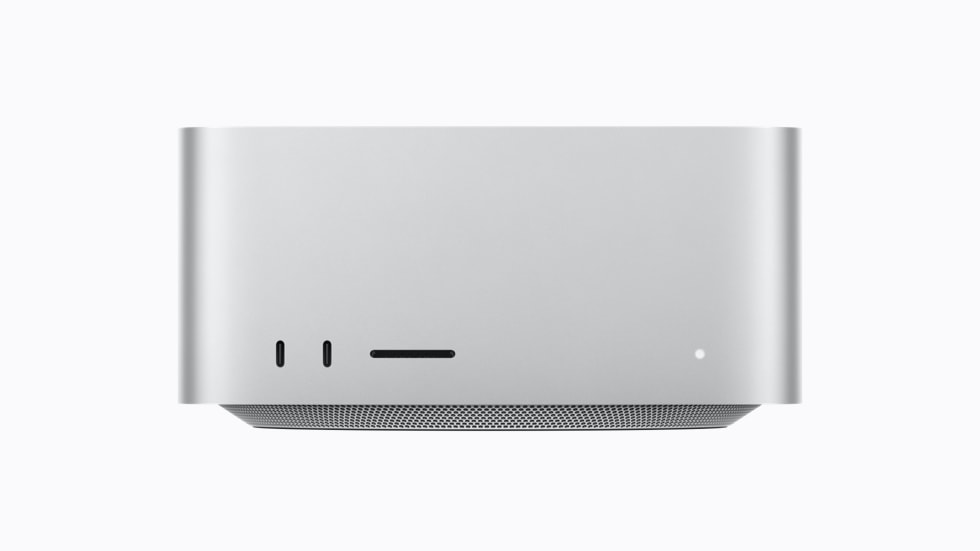
Apple announced the new Mac Studio on 25 August 2026, and it ships on 22 September. The M5 Max model starts at $2,499 and the M5 Ultra at $5,499. Those are not typos, and they are not configured prices. They are the entry points. Four years ago the same two tiers started at $1,999 and $3,999, and they held those prices across three generations.
So the question everybody is actually asking is not "what's new." It is: is this still a reasonable thing to buy, and if I already own a Mac Studio, is this the one to jump to? This guide answers both, using Apple's own published figures where they exist and being clear about where the marketing numbers do not translate into everyday work.
There is also a storage sting in the tail that matters more than usual this year. Apple charges $3,800 to take an M5 Max Mac Studio from its base 512GB SSD up to 8TB. That single line item costs more than the entire computer did in 2022. Almost nobody should pay it. The sane move is to spend on unified memory, which cannot be added later, and keep your files on external drives, which can.
That is where DriveVault comes in. If a new Mac Studio means shifting your archive onto external drives instead of paying Apple's SSD tax, you need to be able to find things on those drives without plugging six of them in one at a time. DriveVault scans each drive once and gives you a permanent, searchable catalogue of what is on it: folder structure, filenames, sizes, dates, photo and video metadata. It works whether the drive is connected or sitting on a shelf.

The Short Version
- M5 Max: $2,499 / £2,499 (36GB memory, 512GB SSD). The sensible Mac Studio. Education pricing is $2,299.
- M5 Ultra: $5,499 / £5,499 (96GB memory, 1TB SSD). A specialist machine, priced like one. Education pricing is $5,099.
- Upgrade if you have an M1 or M2 Mac Studio. The generational gap is enormous and your machine is three to four years old.
- Do not upgrade from an M4 Max or M3 Ultra unless local AI inference is the core of your job. For conventional creative work the gain is roughly 1.3x CPU and 1.8x graphics.
- Buy memory, not storage. Unified memory is soldered and final. Storage can live outside the box for a fraction of the price.
- Ships 22 September. 512GB unified memory configurations slip to late October.
What It Actually Costs Right Now
Apple confirmed pricing in its press release of 25 August. Pre-orders opened the same day across 30 countries, with deliveries starting 22 September.
| Configuration | Memory / SSD | US | UK |
|---|---|---|---|
| Mac Studio M5 Max | 36GB / 512GB | $2,499 | £2,499 |
| Mac Studio M5 Max (education) | 36GB / 512GB | $2,299 | N/A |
| Mac Studio M5 Ultra | 96GB / 1TB | $5,499 | £5,499 |
| Mac Studio M5 Ultra (education) | 96GB / 1TB | $5,099 | N/A |
Now the part that gives the number its context. Here is what the two tiers have cost at launch since the Mac Studio arrived in 2022:
| Model | Released | Launch price | Change |
|---|---|---|---|
| Mac Studio M1 Max | March 2022 | $1,999 | Baseline |
| Mac Studio M2 Max | June 2023 | $1,999 | No change |
| Mac Studio M4 Max | March 2025 | $1,999 | No change |
| Mac Studio M5 Max | September 2026 | $2,499 | +$500 (+25%) |
| Mac Studio M1 Ultra | March 2022 | $3,999 | Baseline |
| Mac Studio M2 Ultra | June 2023 | $3,999 | No change |
| Mac Studio M3 Ultra | March 2025 | $3,999 | No change |
| Mac Studio M5 Ultra | September 2026 | $5,499 | +$1,500 (+38%) |
Three generations of price stability, then a step change. And it did not happen in August. It happened in June 2026, when Apple raised prices across the Mac line mid-cycle. The M4 Max Mac Studio went from $1,999 to $2,499 and the M3 Ultra jumped from $3,999 to $5,299. The M5 generation simply held the M5 Max at that new figure and added another $200 to the Ultra. We covered that mid-cycle rise when it landed in our piece on Apple's June price increases.
Configuration costs bite harder than the headline. Taking an M5 Max from 512GB to 8TB of internal storage adds $3,800, and a fully specified M5 Max Mac Studio reaches roughly $8,899, according to AppleInsider's walkthrough of Apple's configurator. The base prices are the friendly end of this product.
The $399 Mac mini Question
There is a widely repeated line that the $399 Mac mini was the best deal in computing history. It is worth being precise about it, because it frames everything else.
Apple never listed a Mac mini at $399. The M4 Mac mini launched in October 2024 at $599 with 16GB of memory and a 256GB SSD, which was already a remarkable number for a machine that outran most desktop PCs. The $399 figure was real, but it came from retailers: Best Buy discounted the M2 Mac mini to that price, and Micro Center ran $399 in-store deals on the M4. For a while, a genuinely fast Apple desktop had a floor somewhere between $399 and $599.
That era is over, and the numbers are blunt about it. The new Mac mini announced on the same day as the Mac Studio starts at $899 with M6, or $799 for education. Same 16GB. Same 256GB SSD. Apple pulled the $599 configuration in May 2026, raised the line in June, and the M6 added another $100 on top. Compare like for like and the cheapest way into an Apple desktop has risen 50% in under two years.
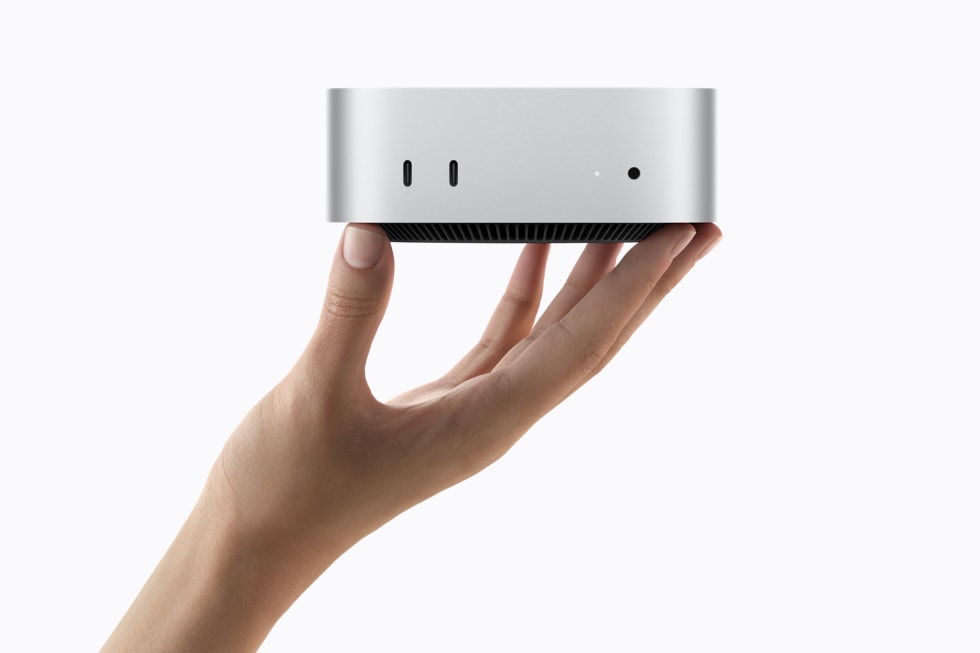
So to answer the question directly: no, the Mac Studio does not live in the same realm as the $399 Mac mini. But nothing does any more, including the Mac mini. The bargain-basement Apple desktop has not been outcompeted by the Mac Studio. It has been priced out of existence by the same component shortage that pushed the Studio up.
What has not changed is the shape of the lineup. The Mac mini is still the value play and the Mac Studio is still the tool purchase. If your work does not specifically need Max or Ultra silicon (large memory pools, huge bandwidth, six Thunderbolt ports, eight displays), the $899 mini remains the machine that gives you the most computer for the money. The Studio was never meant to compete on that basis.
Why It Is So Expensive: Memory, Not Marketing
There is a theory going around that the new Mac Studios are expensive because of the AI technology they were designed to run. That is half right, and the other half is more interesting.
The direct cause is memory. Since late 2025, DRAM and NAND manufacturers have redirected capacity toward AI data centres, and consumer memory supply collapsed as a result. Apple attributed its June increases to sharply higher component costs, particularly RAM, and reportedly told the Wall Street Journal that it had never seen a component price rise this much this quickly. It was not alone: Dell, Lenovo, HP and Microsoft all raised prices in the same window, Nintendo cited memory costs when it repriced the Switch 2, and analysts at Gartner coined "memflation" for the phenomenon. A federal lawsuit filed in California this year additionally alleges that major DRAM suppliers coordinated to restrict supply; those claims are unproven and the case is ongoing.
So the Mac Studio is not expensive because it runs AI models. It is expensive because AI data centres bought the world's memory, and a Mac Studio is mostly memory by cost. The M5 Ultra can carry 512GB of unified memory, which means Apple is buying the same scarce component in bulk for every machine.
The second half is positioning. Apple has repositioned the Mac Studio explicitly as a local AI machine. The press release calls it "the ultimate desktop for on-device AI" and makes a point about running large models "without counting tokens or worrying about rising cloud costs." That framing lets the machine be judged against cloud GPU bills rather than against other desktops, which is a far more forgiving comparison. Both things are true at once: the costs are real, and the repositioning makes them easier to hold.
Should you wait for prices to fall? Probably not on that basis. Analyst forecasts through 2026 have converged on the same view: no meaningful relief inside this year, with late 2027 the earliest credible window for normalisation, because new memory fabs take years to come online. SK hynix's chief executive said in July that 2027 would be the worst supply year in the industry's history. Buy when you need the machine, not when you expect a discount. We went into the underlying causes in detail in our storage price surge explainer.
What Is Actually New
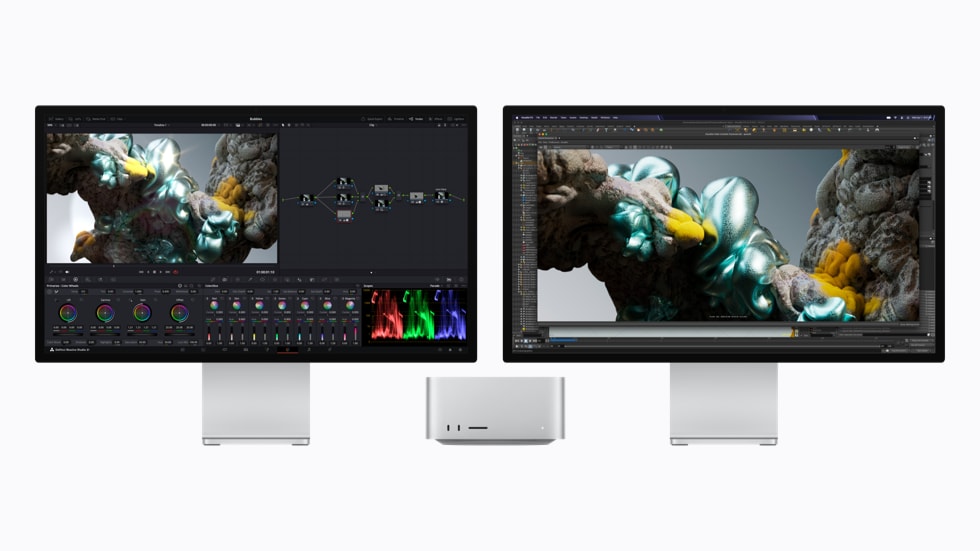
Externally, nothing. Same aluminium enclosure, same footprint, same thermal design. Everything meaningful is inside.
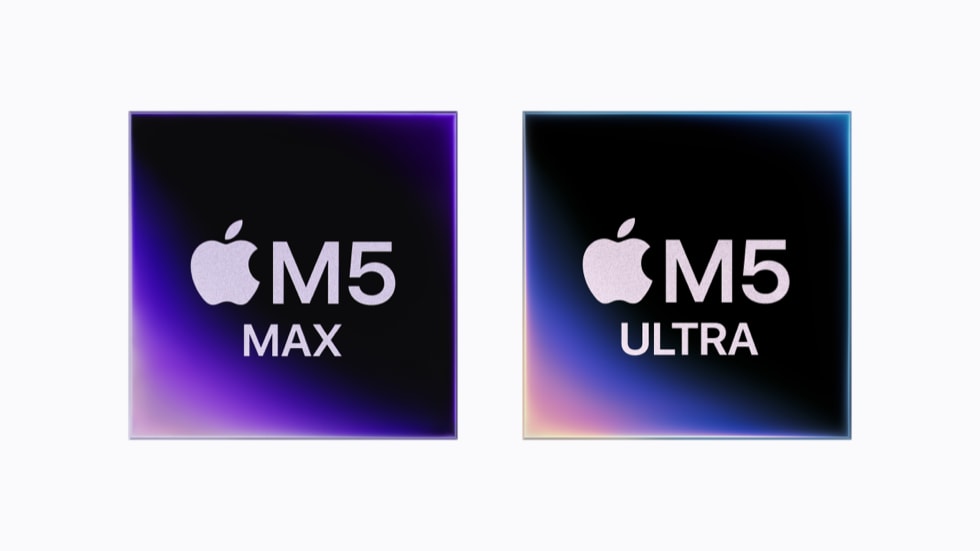
M5 Max brings an 18-core CPU (up from 14 to 16 cores on M4 Max), a GPU of up to 40 cores, and up to 128GB of unified memory at 614GB/s, up from 546GB/s. M5 Ultra scales to a 36-core CPU and an 80-core GPU, with up to 512GB of unified memory and 1.2TB/s of bandwidth, which Apple says is around 50% higher than M3 Ultra.
The single most consequential change is that Apple has put a Neural Accelerator inside every GPU core. On the Ultra tier this is a first. It is the reason the AI numbers jump so far ahead of the CPU and graphics numbers, and it is the whole argument for this generation.
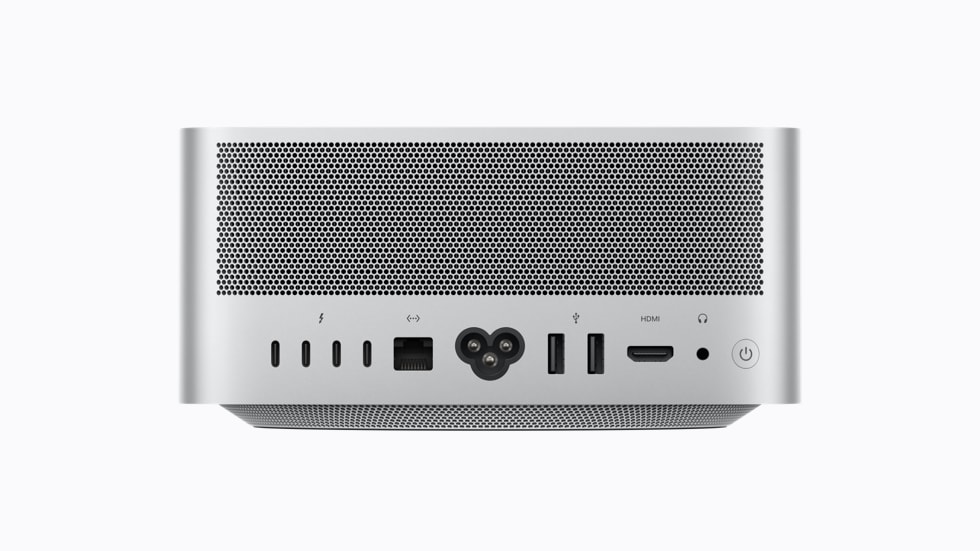
Beyond silicon: PCIe Gen 6 storage that Apple claims is twice as fast, Wi-Fi 7 and Bluetooth 6 via Apple's N1 chip, genlock over USB-C for syncing a display with a professional camera, support for up to eight displays, and Thunderbolt 5 with RDMA so multiple Mac Studios can be clustered. Apple says four clustered systems deliver up to 3x faster AI inference than one.
What did not change is worth noting too: maximum memory stays at 128GB on the Max and 512GB on the Ultra, maximum GPU cores stay at 40 and 80, and maximum storage stays at 8TB and 16TB respectively. This is a depth upgrade, not a ceiling upgrade.
Should You Upgrade? Find Your Machine Below
All the performance figures that follow are Apple's own, from testing it conducted in July 2026 and published alongside the launch. Treat them as best-case rather than typical, and note how much of the headline improvement is concentrated in AI workloads.
You have an M1 Max or M1 Ultra Mac Studio (2022)
UpgradeThis is the clearest yes in the whole guide. Your machine is four and a half years old and the gap is not incremental. Apple reports the M5 Max delivering up to 10.7x faster LLM prompt processing in LM Studio, 7.4x faster text-to-image, and 5.3x faster Magic Mask in DaVinci Resolve Studio compared with M1 Max. On the Ultra side, up to 15.4x faster CopyCat machine-learning training in Foundry Nuke and 4.7x faster Redshift rendering versus M1 Ultra.
Even the non-AI figures are strong here, which is not true further down this list. Spread the $500 increase over four and a half years of ownership and it works out at under $10 a month. If you bought at launch in 2022, this is your generation.
You have an M2 Max or M2 Ultra Mac Studio (2023)
UpgradeThree years and one skipped generation. You sat out the M4 Max and M3 Ultra refresh, which was the right call at the time given it paired a current Max chip with a year-old Ultra. This is the natural landing point.
Apple does not publish M2-to-M5 comparisons directly, but the M2 Max sat between M1 Max and M4 Max on most measures, so you can expect the majority of the M1 gains listed above. The one thing to weigh honestly: if your work is colour grading, Logic sessions or Lightroom rather than model inference, you are buying a solid but not transformative machine at a 25% higher price than the equivalent cost you three years ago.
You have an M4 Max Mac Studio (2025)
Only for AI workYour machine is 18 months old and still fast. The M5 Max gives you 3.9x faster AI performance, 3.5x faster text-to-image and 3x faster Magic Mask than M4 Max, plus the bandwidth bump from 546GB/s to 614GB/s and a jump from 16 to 18 CPU cores.
If you run local models daily, whether that means coding agents, diffusion or fine-tuning, the 3.9x is a real working difference and the upgrade pays for itself in time saved. If you do not, you are paying $2,499 to replace a machine that already handles your work, and the CPU and graphics gains alone do not justify it. Sit this one out and look at the M7 Ultra generation expected in 2028.
You have an M3 Ultra Mac Studio (2025)
Only for AI workHere is the split that defines this launch. Against M3 Ultra, the M5 Ultra delivers up to 4.3x the peak AI compute and 4x faster LLM prompt processing, but only 1.3x higher multithreaded CPU performance and 1.8x faster graphics. The memory ceiling is unchanged at 512GB and the GPU still tops out at 80 cores.
So: if you are an AI researcher or data scientist, the Neural Accelerators arriving on the Ultra tier make this a step change and the 1.2TB/s of bandwidth genuinely matters for large models. If you are a VFX artist or finishing editor, you are looking at a 1.3x CPU improvement for $1,500 more than your machine cost at launch. That is a hard sell, and you should not feel bad about skipping it.
One scheduling note that may affect the decision: there is no M6 Ultra planned. The next Ultra-tier chip is expected to be M7 Ultra in 2028, so this is the only Ultra upgrade available for roughly two years.
You have an Intel Mac Pro, iMac Pro, or an older Intel Mac
UpgradeYou are past due, and the decision has been made for you: Apple removed the Mac Pro from the lineup in March 2026, and the M5 Ultra Mac Studio now fills that slot. The performance gap is not worth quantifying. It is a different category of machine.
The practical consideration is your existing storage. Moving off an Intel tower usually means moving off internal drives and PCIe cards onto external Thunderbolt enclosures, which is exactly the moment a drive catalogue stops being a nice-to-have.
You do not have a Mac Studio and are wondering whether to start
Check the mini firstBe honest about the workload before you spend $2,499. The M6 Mac mini at $899 handles Lightroom catalogues, 4K editing, most development work and light local inference. The M5 Pro Mac mini at $1,699 goes up to 64GB of unified memory with Thunderbolt 5 and covers a great deal of professional video and 3D work.
The Mac Studio earns its money when you need more than 64GB of unified memory, more than three Thunderbolt ports, more than three displays, or sustained all-day rendering. If none of those apply, the mini is the better purchase and it is not close.
How to Configure It Without Wasting Money
If you have decided to buy, this is where the real money is won or lost. Two rules cover almost everyone.
1. Buy the memory. It is the only part you can never change.
Unified memory is soldered to the package. Whatever you order is what that machine has for the rest of its life, and on an Apple silicon Mac it serves as both system RAM and video memory. If you run local models, memory capacity is the hard limit on which models you can load at all, and no amount of external hardware works around it.
The M5 Max base of 36GB is workable for general creative work and small models. If local inference is part of your job, going up is the upgrade that actually changes what the machine can do. On the Ultra, the 96GB base already fits a great deal; the 256GB and 512GB tiers are for people running frontier-class open-weight models, and the 512GB configuration does not ship until late October.
2. Do not buy the storage. Buy drives.
Apple wants $3,800 to take an M5 Max from 512GB to 8TB. External Thunderbolt 5 and USB4 enclosures reach 8TB for a fraction of that, and AppleInsider found every finished 8TB option it surveyed in late August came in under Apple's upgrade price.
An external drive also does three things the internal SSD cannot. It moves between machines. It can be replaced when it fails or when you need more. And it outlives the computer. When you sell this Mac Studio in 2030, the 8TB you paid $3,800 for goes with it.
One realistic expectation on speed. Thunderbolt 5's advertised 120Gb/s does not apply to storage. PCIe tunnelling caps at 64Gb/s and protocol overhead puts real-world external SSD performance a little over 6GB/s. That is still extremely fast, comfortably enough for multicam 8K timelines, but do not expect the headline number.
The Problem Nobody Budgets For
Here is the thing about taking the sensible option. You buy the 512GB Mac Studio, you save $3,800, and you put your archive on external drives. Twelve months later you have four or five drives on a shelf, and the question "which drive has the March shoot on it?" costs you fifteen minutes of plugging things in every single time it comes up.
This is precisely what DriveVault was built to fix. Scan a drive once and you have a permanent catalogue of everything on it: the full folder tree, filenames, sizes, dates, photo EXIF and video specs. Search across every drive you own from one window and DriveVault tells you which drive a file is on, where it sits in the folder structure, and when it was last modified, all without the drive being plugged in.
For anyone moving off internal storage onto externals because of Apple's pricing, that is the difference between a working archive and a shelf of mystery boxes. It is free for your first drive up to 4TB, and it runs entirely offline. Nothing about your files leaves your Mac.
Setting up a new Mac Studio? Scan each external drive as you connect it during setup and tag it with a project name or date range. Ten minutes per drive, once, and you never play plug-in roulette again. If you are also verifying that your migration copied everything across, our guide to comparing two drives and finding missing files covers exactly that.
DriveVault catalogues every external drive you own so you can search, browse and find any file without plugging anything in. Free for your first drive up to 4TB.
Download DriveVault FreeThe Verdict
The 2026 Mac Studio is an excellent computer sold at a price that reflects a component market nobody in the industry is happy about. Whether it is a good deal comes down to one question, and it is not a question about the Mac Studio at all.
If you run large AI models locally, this is the best value Apple has ever offered on the Mac. The Neural Accelerators in every GPU core, 512GB of unified memory and 1.2TB/s of bandwidth put frontier-class open-weight models on a desk, and the machine competes against a recurring cloud inference bill rather than against other computers. Measured that way, $5,499 is not obviously expensive.
If you are a photographer, editor, designer or developer doing conventional work, be more careful. Apple's own conventional-workload figures of 1.3x CPU and 1.8x graphics against the previous generation do not carry a $500 to $1,500 price rise on their own. Upgrading from an M1 or M2 Mac Studio still makes clear sense on age alone. Upgrading from an M4 Max or M3 Ultra does not.
And the $399 Mac mini? That was a genuine anomaly, and it is gone. The floor is $899 now, and analyst consensus puts any real relief no earlier than late 2027. The most useful thing most people can do this year is not to buy the right new machine, but to get more out of the storage they already own, and to stop paying Apple $3,800 for something a drive on the desk does for a fraction of the price.