

There is no shortage of photography software to spend money on. Half of it you will use twice and forget about. The other half quietly becomes something you cannot imagine working without. This is a list of the latter.
We have kept it tight - five picks that cover the full shape of a working photographer's life on a Mac. Not five editing apps competing for the same slot, but five tools that each do something genuinely different: knowing where your files are, organising and editing them, backing them up properly, culling shoots quickly, and actually getting your work seen. If your setup is missing any of these pieces, it is costing you either time or peace of mind.
The Five
- DriveVault - know what is on every drive without plugging it in. Free.
- Adobe Lightroom Classic - the industry standard for editing and long-term organisation.
- Backblaze - unlimited cloud backup for $9/month. The thing most photographers skip until it is too late.
- Photo Mechanic - cull 800 RAW files in the time it takes Lightroom to load its thumbnails.
- Flickr - still the best photography community online, and more useful than most people give it credit for.
Every photographer with more than two external drives has the same problem: no reliable way to know what is on each drive without plugging it in and hunting through Finder. This is manageable when you have three drives and genuinely painful when you have eight.
DriveVault solves it cleanly. You scan each drive once - it reads file names, paths, sizes, types, dates, and EXIF metadata for photos - and from that point on you can search, browse, and find anything on any drive without touching it. The drive can be in a drawer, in a bag, at a different location entirely. If you scanned it, you can find what is on it.
The practical uses stack up quickly. A client asks for raw files from a shoot 18 months ago - search in DriveVault, find the drive and folder in seconds, plug in just that one drive. You want to know how much storage you actually have spare before buying a new drive - DriveVault shows you across your entire library at a glance. You think you might have a project duplicated across two drives - the compare tool shows you exactly what is different.

Your first drive up to 4TB is free to catalog forever - no trial period, no expiry. After that, there are affordable one-time payment tiers scaled to how many drives you own. No subscriptions, no recurring charges. Pay once and it is yours.

Lightroom Classic is the industry standard for good reason. It has been refined over fifteen-plus years into something that handles the full arc of post-production: importing from cards, culling, colour grading, keywording, exporting, archiving. The catalog system is powerful once you learn it, RAW support covers essentially every camera on the market, and the editing tools have reached a level of maturity that makes most alternatives feel like they are still catching up.
The Photography Plan at around $12/month also includes Photoshop and a chunk of cloud storage, which makes the value case easier to make. If you are already paying for Creative Cloud for other reasons, Lightroom Classic is essentially free to add. And if you are not - it is still where most professional photographers live, which means tutorials, presets, and community support are everywhere.
Worth knowing for multi-drive setups: Lightroom Classic works directly with your folder structure on disk. Photos on unplugged drives show as offline in the catalog - you can still browse thumbnails, but full resolution needs the drive connected. This is fine once you understand it. Use DriveVault to identify which drive holds what before you open Lightroom, and you will only ever plug in what you actually need.

Most photographers have a backup strategy that is roughly "I think I copied it somewhere else." Backblaze is the thing that replaces that vague anxiety with actual confidence. You install a small background app, it starts uploading everything on your computer and any connected external drives to the cloud, and it never stops. You do not have to think about it. You do not have to remember to plug anything in. It just runs.
What makes Backblaze particularly well-suited to photographers is the unlimited storage at a flat rate. $9/month, no matter how many terabytes you are sitting on. For someone shooting RAW on a high-resolution body across a full season, that is significant - competitors typically charge per gigabyte, meaning your backup bill scales with how much you shoot. Backblaze does not.
External drives are covered too, as long as you connect them to your Mac at least once every 30 days. For photographers with a library spread across multiple drives, this means your entire archive can be backed up offsite automatically - not just what is on your internal SSD. If drives are lost, stolen, or fail, you can restore files by download or Backblaze will ship you a physical drive with everything on it.
There are photographers who know they should have a proper cloud backup and keep meaning to sort it out. If that is you, this is the one. It takes ten minutes to set up and after that you will not think about it again.
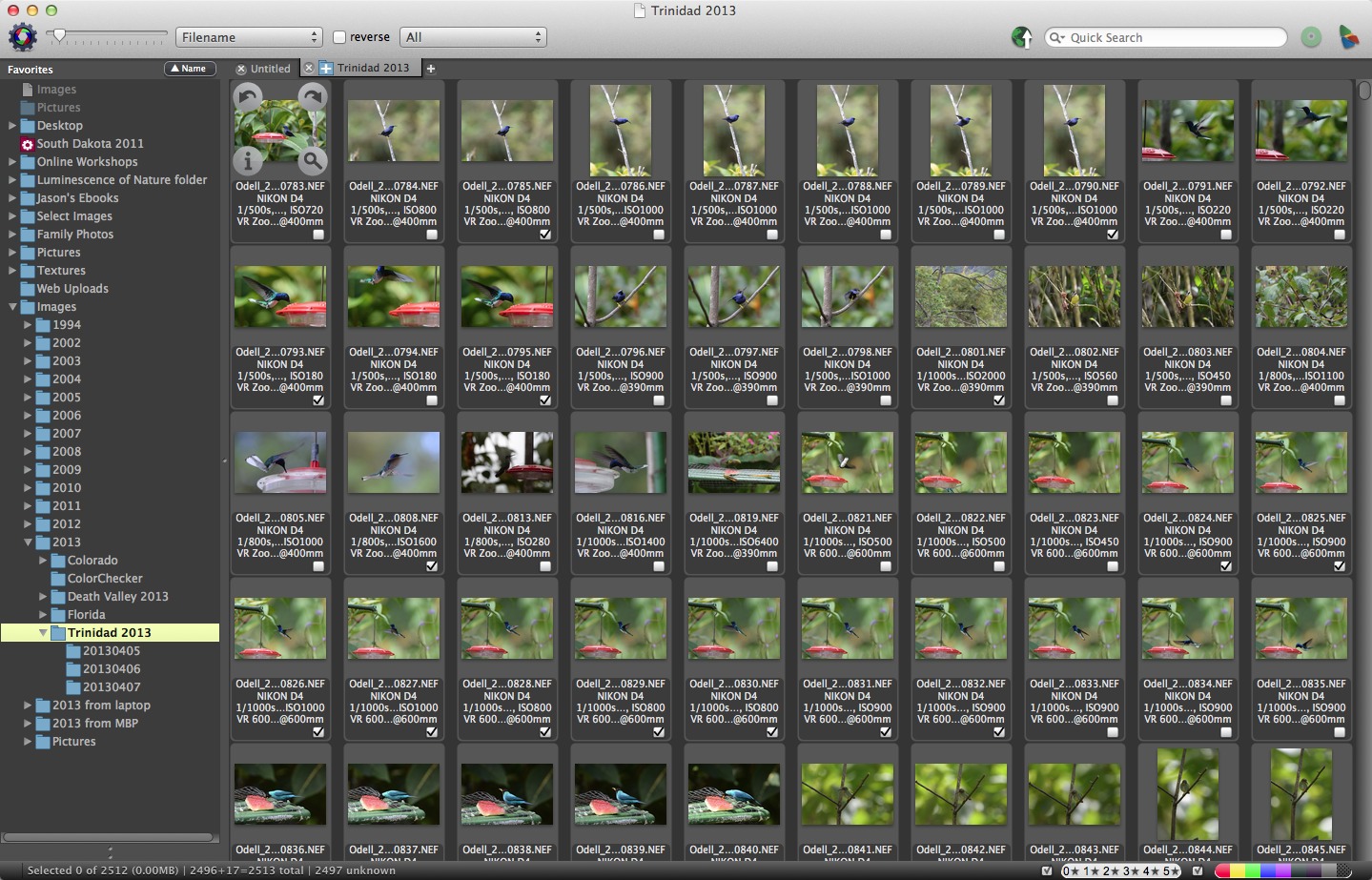
The first time you open a folder of 800 RAW files in Photo Mechanic and watch them appear almost instantly - while Lightroom is still rendering its first row of thumbnails - it is a bit of a revelation. Event and wedding photographers discovered this years ago. Sports photographers and photojournalists have relied on it for even longer. It is genuinely, measurably faster at showing you your images than anything else.
The trick is that Photo Mechanic reads the JPEG preview embedded inside each RAW file rather than processing the full RAW data. Quality is entirely sufficient for deciding what to keep and what to bin, and it means you can fly through a thousand-image shoot in the time it would take Lightroom to load the thumbnails. One reviewer described it well: culling used to take days. With Photo Mechanic it takes hours.
Beyond speed, it handles ingesting from memory cards, batch renaming, adding metadata and keywords, and getting files organised before they go into Lightroom for editing. The interface is functional rather than beautiful - this is software built by engineers who cared deeply about performance and very little about aesthetics - but once you learn the keyboard shortcuts the workflow is fast and satisfying.
It is not cheap. If you shoot occasionally and your shoots are small, Lightroom's culling tools are probably fine. But if you regularly come home with 1,000+ frames and the editing-night slowdown is eating your evenings, Photo Mechanic pays for itself quickly in hours recovered. There is a 30-day free trial with no payment required, which is plenty of time to know whether it is for you.
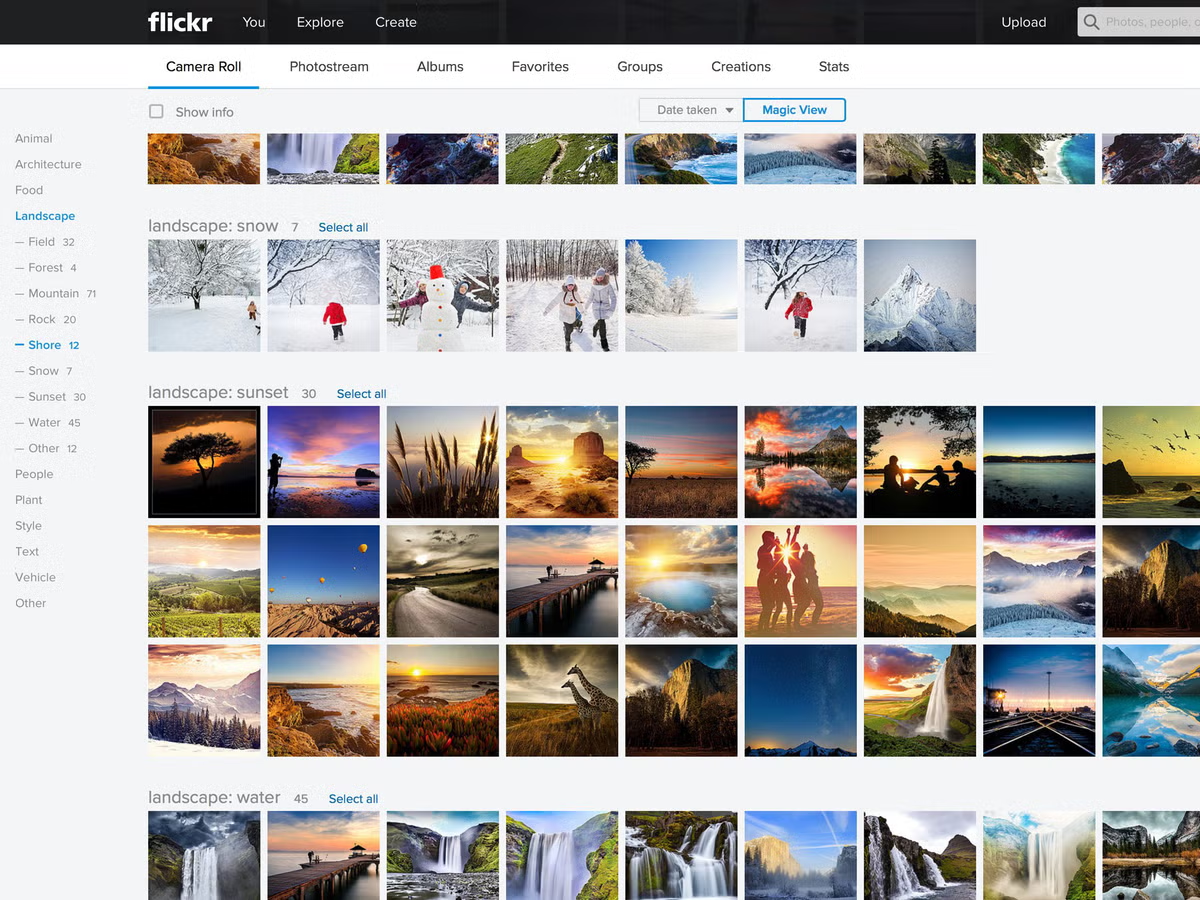
Let's be honest about where Flickr is in 2026. It is not what it was in 2010. The Pro pricing has crept up, the app has not kept pace with modern design expectations, and some of the buzz has moved elsewhere. If you are expecting the electric community of the early photo-sharing era, you will notice the quieter rooms.
But here is what is still genuinely true, and what gets overlooked in the nostalgia-tinged dismissals: Flickr has one of the most engaged, photography-specific communities left on the internet. Not engagement in the Instagram sense - likes from accounts that post 30 times a day and look at nothing. Actual photographers who look at your images, leave considered comments, and participate in active groups built around specific genres, cameras, film stocks, and locations. The film photography groups on Flickr in particular are more active and engaged than almost anywhere else online.
The free account gives you 1,000 photos, which is more than enough for a well-curated portfolio of your strongest work. Post selectively, tag properly, engage genuinely with other people's images, and Flickr can build you a small but real audience - the kind that actually cares about photography rather than just consuming content. That is harder to find than it sounds.
Whether the Pro tier is worth it is a fair question, and the honest answer is: it depends on how you use it. Unlimited storage, no ads for your visitors, and full privacy controls are useful if you are treating it as a portfolio or archive platform. If you are just dipping in occasionally, the free tier does the job. Either way, it costs nothing to set up and the community alone justifies being there.
Putting It Together
These five tools cover the full shape of a photographer's digital life without overlapping with each other, which is the whole point. DriveVault tells you where your files are. Lightroom is where editing happens. Backblaze makes sure nothing is ever truly gone. Photo Mechanic makes the evening after a big shoot manageable. Flickr is where some of that work eventually reaches people who care about it.
Start with the free ones - DriveVault and a Flickr account take about twenty minutes to set up between them. Add Backblaze as soon as possible if cloud backup is not already in place. Try the Photo Mechanic trial if culling is a genuine bottleneck in your workflow. And if you are not already in Lightroom, it is probably the right time.
Scan your drives with DriveVault and find out exactly what you have got. Takes ten minutes. Free on macOS.
Download DriveVault Free